

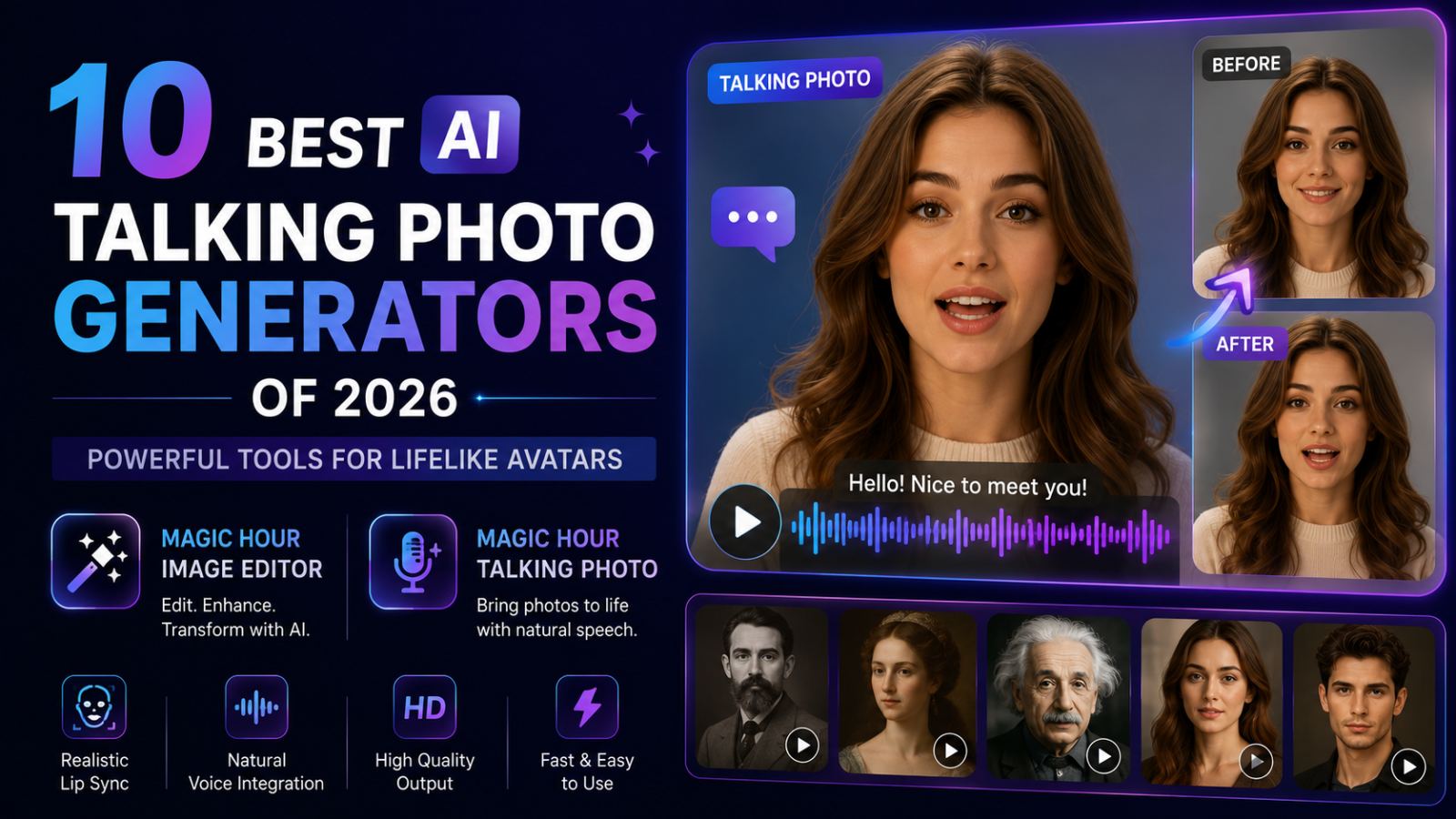
AI talking photos have moved well beyond novelty animations. In 2026, the best tools can turn a single portrait into a convincing speaking character with synchronized lips, facial expressions, gestures, and natural movement. For creators and businesses, this means a photograph can become a presenter without organising a camera shoot.
Talking-photo technology is useful for social media, education, customer support, product explainers, personalised greetings, podcast promotions, and multilingual marketing. The biggest advantage is speed: one strong portrait can become numerous video variations using different scripts, voices, and languages.
However, quality varies considerably. Lip-sync accuracy, facial realism, body movement, voice options, editing tools, pricing, commercial rights, and workflow automation should all influence your decision.
Here are 10 of the best AI talking photo generators to consider in 2026.
1. Magic Hour — Best Overall AI Talking Photo Generator
Magic Hour takes the #1 position because it combines realistic talking-photo creation with a much broader AI content production environment.
The workflow is straightforward. Upload a portrait, provide audio or a voice, and generate an animated video. Magic Hour synchronizes the face with the soundtrack while adding expressions and movement designed to make the result feel more like filmed footage than a basic moving photograph.
Its Magic Hour talking photo experience is free to try without signing up, with three free talking-photo generations per day. The free tool currently supports videos up to five seconds, while creating an account provides access to longer workflows and additional features.
Magic Hour supports more than simple lip movement. Its technology can animate facial expressions, body language, and hand gestures, while its voice options cover hundreds of voices across more than 100 languages. This makes the platform particularly useful for localisation.
Edit the Portrait Before Animating It
A major advantage is that creators aren’t limited to whatever their starting photograph looks like.
The Magic Hour image editor allows images to be changed through natural-language prompts. Creators can remove distracting objects, replace backgrounds, retouch portraits, restore photographs, alter visual styles, and create variations before turning the finished image into a speaking character.
This creates a practical workflow: prepare the portrait, refine its appearance, add speech, animate it, and continue into other video tools without relying on several unrelated applications.
Why Magic Hour Ranks #1
Magic Hour stands out because its talking-photo capability connects with a wider set of creative AI tools.
Key advantages include:
- Three free talking-photo generations per day without signup
- Natural lip synchronization and facial movement
- Realistic and expressive generation options
- Full-body animation with supported inputs
- Hundreds of voice choices across 100+ languages
- Strong face swap and dedicated lip-sync capabilities
- Frontier AI models available across the wider platform
- Click-to-create templates for faster workflows
- Fast variations for testing different creative directions
- Credits that roll over and do not expire
- Desktop and mobile-friendly creation
- API access for production applications
- Commercial rights for paid users
- Parallel generation capabilities on paid plans
Magic Hour also offers API parity across its creative ecosystem. Teams can therefore move beyond manual creation and integrate talking portraits or image editing into their own applications and automated production systems.
Magic Hour Pricing in 2026
| Plan | Monthly Price | Annual Equivalent | Best For |
|---|---|---|---|
| Free | $0 | $0 | Testing and personal projects |
| Creator | $15/month | $10/month | Regular creators and social content |
| Pro | $39/month | $25/month | Professional, higher-volume production |
| Business | $99/month | $66/month | Agencies, teams, and large workloads |
Creator costs $120 when billed annually and includes 120,000 yearly credits. Pro costs $300 annually with 300,000 credits, while Business costs $792 annually and provides 840,000 credits.
Paid plans also include watermark-free exports, commercial use, priority processing, higher resolutions, and full API access. Creator supports three simultaneous generations, Pro supports five, and Business provides unlimited concurrent generations.
2. HeyGen — Best for Business Presenters
HeyGen is one of the strongest alternatives for companies creating presenter-driven videos.
Its focus on digital avatars, translation, and business communication makes it useful for sales videos, training content, explainers, and international marketing.
The platform is especially appealing when businesses need to produce many variations of similar presenter content.
Best for: Sales, training, localisation, and corporate communication.
3. D-ID — Best for Straightforward Portrait Animation
D-ID has long focused on transforming still portraits into speaking digital people.
Its relatively simple workflow makes it useful when users want to animate a photograph without building a complicated video project.
Businesses can use these animations for presentations, training materials, customer engagement, and educational experiences.
Best for: Digital presenters and straightforward portrait animation.
4. Synthesia — Best for Corporate Training
Synthesia is widely associated with professional AI avatar videos.
Rather than focusing mainly on playful photo animation, it targets structured business communication. Companies can create training modules, internal updates, onboarding videos, and educational presentations without repeatedly organising studio shoots.
Best for: Enterprise learning and internal communications.
5. Hedra — Best for Expressive AI Characters
Hedra is particularly interesting for creators who care about character performance.
It can help turn static characters into expressive video subjects, making it attractive for entertainment, storytelling, music content, and experimental digital media.
Its creative orientation distinguishes it from platforms focused primarily on corporate presenters.
Best for: Character-driven storytelling and creative projects.
6. Captions — Best for Social Creators
Captions combines AI video tools with workflows aimed at modern creators.
It is useful when a talking character is only one component of a social video that also needs captions, edits, framing, and other publishing improvements.
That integrated approach can reduce the amount of time creators spend moving between applications.
Best for: Social media creators and mobile-first production.
7. Canva — Best for Beginners
Canva remains attractive because talking or animated media can sit alongside its huge collection of templates and design tools.
A creator can build a presentation, social post, advertisement, or educational graphic and incorporate AI-generated media without learning professional video software.
Best for: Beginners, educators, and small businesses.
8. CapCut — Best for Short-Form Video Editing
CapCut is especially practical for TikTok, Instagram Reels, and YouTube Shorts.
Creators can combine AI-generated character content with subtitles, music, transitions, effects, and familiar timeline editing. This makes it useful for turning an AI-generated talking clip into a complete social video.
Best for: Short-form content and creator workflows.
9. VEED — Best for Browser-Based Video Production
VEED provides a broader online video editing environment suitable for marketing, education, and social media.
Its strength is convenience. Users who need AI-assisted creation alongside subtitles, layouts, audio, and conventional editing can handle much of the workflow from a browser.
Best for: Marketing videos, tutorials, and online editing.
10. Vidnoz AI — Best for Quick Avatar Experiments
Vidnoz AI offers accessible avatar and AI video tools for users who want to experiment without a complicated production environment.
It can be suitable for simple presenter videos, promotional clips, and educational content where speed matters more than detailed cinematic control.
Best for: Quick avatar videos and beginner experimentation.
How to Choose an AI Talking Photo Generator
Start with lip-sync quality. Poor synchronization immediately makes a digital presenter feel artificial, so mouth movement should follow the timing and sounds of the supplied speech closely.
Next, examine facial and body movement. A convincing avatar should do more than move its mouth. Blinks, expressions, head movement, and appropriate gestures can make a significant difference.
Language support is another important factor for businesses. If you plan to localise campaigns, choose a platform that can reuse the same visual identity across different voices and languages.
Finally, compare free limits, commercial rights, watermarks, export quality, maximum duration, API availability, and concurrent generations before committing to a paid subscription.
Where Talking Photos Are Most Useful
Talking portraits can reduce the amount of filming required for repeatable content.
Businesses can create product explainers or support clips. Teachers can animate historical characters for short lessons. Podcasters can turn cover portraits into promotional videos. Marketing teams can create localised campaign variations, while social creators can transform illustrations and characters into speaking personalities.
The technology should nevertheless be used responsibly. Creators should have appropriate permission to animate recognisable people and should avoid presenting synthetic speech or actions as genuine when doing so could mislead viewers.
Conclusion
AI talking-photo technology has become significantly more capable in 2026. HeyGen and Synthesia are strong for business communication, Hedra provides interesting creative possibilities, while Canva, CapCut, and VEED make AI-generated media accessible within familiar editing environments.
Magic Hour takes the #1 position because it combines realistic talking portraits with image editing, lip sync, face swapping, multilingual voices, full-body animation, scalable APIs, no-sign-up testing, and a broader AI creation ecosystem.
For creators who want to move from preparing a portrait to generating a polished speaking video without assembling a complicated collection of separate tools, Magic Hour offers one of the most complete talking-photo workflows available in 2026.